The question is urgent because Airtable has a new owner. Bending Spoons, the Italian company behind Evernote and WeTransfer, completed its acquisition of Airtable on September 4, 2026, and on October 12, Airtable said it was "parting ways with a large portion of the pre-acquisition team." Airtable says nothing changes for customers' plans or prices, but many users are now asking what they'd move to if that changed. Softr is one of the Airtable alternatives people are moving to; I investigated to find out if Softr is really a good alternative.
Softr is a no-code and AI app builder from a remote-first company founded in 2020 by Mariam Hakobyan (CEO) and Artur Mkrtchyan (CTO) that lets non-technical teams build client portals, internal tools, and business apps on its own database or on data from Airtable, Google Sheets, HubSpot, SQL databases, and more. I investigated what switching would really mean: what each costs at real team sizes, what you gain and lose, how the migration works, and what users say. Here's what I found.
Softr vs. Airtable: key takeaways
- Verdict: Softr is the best Airtable alternative for teams that build portals and apps for clients, partners, or staff who shouldn't see the whole base. Stay on Airtable, for now, if you depend on heavy automations, scripts, extensions, or Gantt and timeline views.
- Airtable's new owner: Bending Spoons closed its $1.285 billion (enterprise value) acquisition on September 4, 2026, then cut a large share of Airtable's team. Airtable says plans and prices haven't changed.
- Cost: a 5-person team with 50 client logins pays $99 a month on Softr Pro (billed yearly), versus at least $220 a month on Airtable Team plus its Portals add-on, which starts at $120 for just 15 guests.
- Softr Databases now import Airtable bases, including linked records, attachments, formulas, and automations (as draft workflows). Scripts, buttons, and some lookups need rework.
- Trade-offs: Softr's record limits cover all your databases combined (5,000 to 1 million by plan), and its workflow limits (500 to 25,000 actions a month) are far lower than Airtable's automation runs.
How I investigated Softr as an Airtable alternative
I’ve been using Airtable for as long as I can remember, since I was introduced to the app by Deborah Olajuwon (opens in a new tab) in 2021. Since then, I’ve watched the product grow until it was acquired recently. But in recent times, I’ve been exploring Airtable alternatives for executing some select tasks.
For this report, I compared both companies' pricing pages and full plan tables, Softr's migration and database documentation, both security pages, Bending Spoons' acquisition filings and announcements, Airtable's post-acquisition statement, coverage of Bending Spoons' earlier acquisitions, and ratings on G2, Capterra, and Trustpilot. I judged Softr on six things that decide a switch: price at real team sizes, the database, the apps and user experience, automation, AI, and migration risk. You'll find the full list of sources at the end.
What happened to Airtable?
Bending Spoons, a Milan-based technology company listed on Nasdaq since July 1, 2026, bought 100% of Airtable in an all-cash deal that closed on September 4, 2026. The deal valued Airtable at $1.285 billion in enterprise value, or about $2.25 billion including Airtable's net cash, according to Bending Spoons' announcement (opens in a new tab) filed with the SEC. At the time, Airtable had about $480 million in annual recurring revenue, growing more than 20% a year, and more than 500,000 organizations as customers.
Bending Spoons CEO, Luca Ferrari, said the company would focus on ‘investing heavily in Airtable's product, customer support, and go-to-market capabilities.’ Imagine everybody’s surprise when five weeks later, Airtable's new product lead, Alessandro Savarese, wrote in Back to bases: What's next at Airtable (opens in a new tab) (October 12, 2026) that Airtable was ‘parting ways with a large portion of the pre-acquisition team.’
Customers are worried despite the same post saying, ‘For customers, nothing changes regarding your plan, price, or service offering,’ that customer-facing teams weren't affected, and that a new Core team will ship top-requested improvements every month, alongside upgrades to Omni, its AI assistant, and its MCP server.
Why do customers worry? Because of what Bending Spoons did after earlier deals:
- Evernote: limited its free plan to 50 notes and one notebook from December 2023, down from 100,000 notes, as TechCrunch reported (opens in a new tab) on November 29, 2023.
- WeTransfer: Bending Spoons planned to lay off 75% of WeTransfer's staff after buying it, TechCrunch reported (opens in a new tab) on September 8, 2024.
None of that proves Airtable's prices will rise; Airtable says they won't for now. But it's a reason to know your exit route before your next renewal, and that's where Softr comes in.
What is Softr?
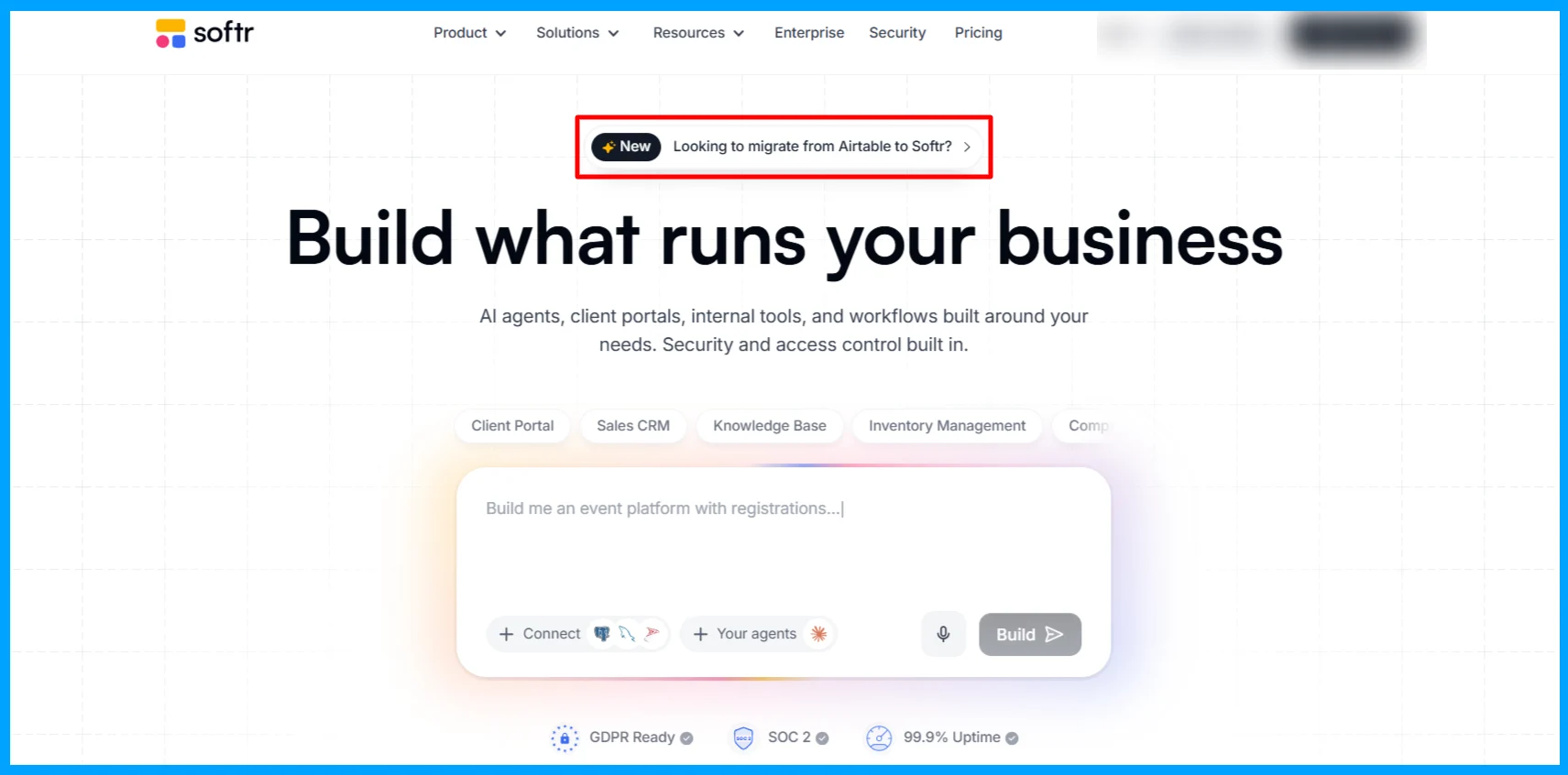
Softr is an AI and no-code app builder for business operations: you build client portals, internal tools, CRMs, intranets, and dashboards on top of your data, with user logins, permissions, workflows, and your own branding, without writing code.
For years, Softr was best known as a way to put a front end on Airtable data. That changed in February 2025, when it launched Softr Databases, its own relational database, as TechCrunch reported (opens in a new tab). In spring 2026, it added an AI Co-Builder that creates a database, app, and logic from a plain-language description. Today, Softr can replace Airtable entirely or sit on top of it.
| Detail |
|---|---|
Company | Softr, remote-first, founded in 2020 |
Founders | Mariam Hakobyan (Co-Founder and CEO) and Artur Mkrtchyan (Co-Founder and CTO) |
Funding | $2.2 million seed (January 2021, led by Atlantic) and $13.5 million Series A (January 2022, led by FirstMark Capital) |
Scale | 1 million+ operations and IT teams and about 60 employees |
Products | Apps (AI Co-Builder and no-code editor), Softr Databases, Workflows, Database AI Agents, mobile apps, API, and MCP |
Data sources | Softr Databases, Airtable, Google Sheets, HubSpot, Notion, Salesforce, SQL databases, and more |
Plans | Free, Basic ($19/month), Pro ($99/month), Business ($329/month), Enterprise, billed yearly |
Security | SOC 2 Type II, GDPR, hosting in the EU (Germany) or the US |
Softr vs. Airtable at a glance
Softr | Airtable | |
|---|---|---|
What it is | App builder with its own database | Database with an app layer (Interfaces) |
Owner | Independent, venture-backed | Bending Spoons (since September 4, 2026) |
Pricing model | Per plan, with builders and app users included | Per editor seat |
Entry paid plan | Basic, $19/month billed yearly | Team, $20 per seat/month billed yearly ($24 monthly) |
Free plan | Yes: 5,000 records, 5 app users, 500 workflow actions | Yes: 1,000 records per base, up to 5 editors, 100 automation runs |
Record limits | 5,000 to 1 million, across all databases | 1,000 to 500,000, per base |
External users (clients, partners) | Included: 5 to 100 client users per plan | Portals add-on, from $120/month for 15 guests |
Automation | 500 to 25,000 workflow actions a month | 100 to 500,000 automation runs a month |
Branding and custom domain | Custom domain from Basic; remove Softr branding on Pro | Custom branding with Portals |
SSO | Enterprise | Business and above |
AI | AI Co-Builder, Database AI Agents, 5 to 100 AI credits a month | Omni and AI field agents, 500 to 25,000 AI credits per user per month |
User ratings | 4.7/5 on G2, 4.3/5 on Trustpilot | 4.6/5 on G2, 1.8/5 on Trustpilot |
Airtable vs. Softr pricing: which is cheaper?
Softr is usually cheaper once people outside your core team need to log in, and Airtable is often cheaper for a small internal team where most people only view data. The difference comes from how each one bills.
Airtable bills per editor. On the Team and Business plans, you pay for every user with edit permission in at least one base; read-only collaborators, form submissions, and share links are free. External users who need to log in and act on data need the Portals add-on, from $120 a month for 15 guests on Team and $150 on Business (or $127.50 billed yearly).
Softr bills per plan. Each plan includes a number of builders (people who build apps, databases, and workflows) and app users (people who log in to the apps), split into team users, who share your business email domain, and client users, everyone else, including anyone on Gmail.
Here’s what Airtable’s pricing looks like for each plan.
Free | Team | Business | Enterprise Scale | |
|---|---|---|---|---|
Price per editor | $0 | $20/month billed yearly ($24 monthly) | $45/month billed yearly ($54 monthly) | Custom |
Records per base | 1,000 | 50,000 | 125,000 | 500,000 |
Automation runs a month | 100 | 25,000 | 100,000 | 500,000 |
Attachments per base | 1GB | 20GB | 100GB | 1,000GB |
API calls a month | 1,000 | 100,000 | Unlimited | Unlimited |
AI credits | 500 per editor | 15,000 per paid user | 20,000 per paid user | 25,000 per paid user |
External users | Not available | Portals add-on from $120/month for 15 guests | Portals add-on from $150/month for 15 guests | Contact sales |
SSO | No | No | Yes | Yes |
Here’s what Softr’s pricing looks like for each plan.
Free | Basic | Pro | Business | Enterprise | |
|---|---|---|---|---|---|
Price (billed yearly) | $0 | $19/month | $99/month | $329/month | Custom |
Builders | Up to 3 | 1 (+$5/month each) | 2 (+$10/month each) | 3 (+$20/month each) | Custom |
App users | 5 | 5 team + 5 client | 10 team + 50 client | 30 team + 100 client | Custom |
Database records (total) | 5,000 | 50,000 | 500,000 | 1 million | Custom |
Workflow actions a month | 500 | 2,500 | 10,000 | 25,000 | Custom |
AI credits a month | 5 | 10 | 50 | 100 | Custom |
Key additions | Unlimited apps, databases, workflows, agents, and forms; API and MCP | Custom domain, conditional forms, database backups | Remove branding, granular permissions, Google sign-in, custom code | 2FA, domain-restricted signup, installable mobile app, push notifications, priority support | SSO, SCIM, audit logs, SOC 2 report |
Monthly billing costs more; yearly billing saves two months. Extra app users on Pro and Business start at $1 and $2 a month each.
What real teams would pay
I can mention these pricing numbers from now until tomorrow, and yet the picture won’t be clear. So I prepared this table to show you what each tool costs per month, billed yearly, for three common setups. I've assumed everyone on the core team edits data and that external users need their own login.
Setup | Airtable | Softr |
|---|---|---|
2 people building and editing an internal tool | $40 (Team, 2 seats) | $24 (Basic, plus 1 extra builder) |
5 staff plus 50 client logins (a client portal) | At least $220 (Team, 5 seats, plus Portals from $120 for 15 guests). For all 50 guests, you will pay ($120 × 4), which is $480 for 60 guests. According to Airtable support, the discount starts from 200 Portal seats, and you have to contact sales. | $99 (Pro: 2 builders, 10 team users, 50 client users) |
15 staff plus 100 client logins | At least $420 (Team, 15 seats, plus Portals; more for 100 guests). For all 100 guests, you will pay ($120 × 7), which is $840 for 105 guests. At 100, you’re still not eligible for Portal seat discounts. | $329 (Business: 3 builders, 30 team users, 100 client users) |
Key takeaway on Airtable vs. Softr pricing?
My key takeaway on Airtable vs. Softr pricing is that the more people outside your core team need access, the more Softr saves you. But if your team is small and mostly views data, Airtable's free read-only access can make it the cheaper tool.
The database: can Softr Databases replace an Airtable base?
For most business databases, yes. Softr Databases are relational: you get linked records, lookups, rollups, counts, formulas with Airtable-compatible syntax, attachments up to 128MB per file, and Database AI Agents that fill in fields or generate content. Each database supports up to 512 tables, with up to 512 fields per table.
There are three differences I think you should understand before you move a big base:
- Record limits are shared. Softr's limit (5,000 to 1 million) covers all your databases combined, while Airtable's limit (1,000 to 500,000) applies to each base. If you run many large bases on Airtable, add up your records before choosing a Softr plan.
- Airtable is still the better spreadsheet. Airtable has years of depth here: Gantt and timeline views, extensions, scripting, synced tables across bases, two-way sync on Business, and revision history of up to a year on Team. If your team works inside the grid all day, test your daily tasks in Softr before you commit.
- You don't have to move your data at all. Softr can keep using your Airtable base as its data source. That's the low-risk middle path: build your apps in Softr now, and move the data later only if Airtable's terms change.
Apps and user experience: where Softr is clearly better
Softr's biggest advantage is the part of Airtable that people complain about most: giving other people a clean, safe view of your data. Airtable's Interfaces are good for your own team, but they weren't designed for clients, partners, or large groups who need their own logins and should only see their own records.
In Softr, you build apps from ready-made blocks in a no-code editor, or describe the app to the AI Co-Builder and edit what it generates. Every app has user logins, groups, and permissions, so a client sees only their own projects and invoices. From Basic, the app runs on your own domain; from Pro, you can remove Softr's branding, add Google sign-in and one-time passwords, and use granular permissions; on Business, users can install it on their phones as an app with push notifications.
Softr also includes Workflows, its automation builder, so a form submission can update records, send emails, and call other tools. And because Softr has a public API and an MCP server on every plan, AI assistants such as Claude can read and update your Softr Databases.
Automation: the most important limit
This is where I believe a switch can hurt. Airtable's automation runs are generous: 25,000 a month on Team and 100,000 on Business. Softr's Workflows count actions, not runs: 2,500 a month on Basic, 10,000 on Pro, and 25,000 on Business, with triggers and flow controls not counted. When you hit the limit, Softr pauses your workflows until the next month or until you upgrade.
A workflow that updates a record, sends an email, and posts to Slack uses three actions every time it runs. So before migrating, count your monthly Airtable runs and multiply by the steps in each automation. If the total is far above Softr's allowance, keep those automations in Airtable, Make, or Zapier for now.
AI: different approaches
Both tools are betting on AI, but in different ways. Airtable gives each paid user thousands of AI credits a month (15,000 on Team) for Omni, its AI assistant that builds workflows from your data, and for AI field agents that fill in fields. Softr gives far fewer credits (5 to 100 a month by plan) but uses AI mainly to build: the AI Co-Builder creates databases, apps, and logic from a description, and you can keep building with the no-code editor when your credits run out. Database AI Agents fill in and generate data inside Softr Databases.
If AI on every record is central to your work, Airtable's allowance is far larger. If you want AI to help you build the tool and then run it without AI, Softr's approach costs less.
Security and governance
Both are suitable for business data. According to Softr’s security page (opens in a new tab), Softr is SOC 2 Type II compliant and GDPR compliant, encrypts data in transit and at rest, keeps backups, offers audit logs for apps and databases, and lets you host data in the EU (Germany) or the US. When I read the FAQ page, I noticed it says all user data is stored in Germany, so I recommend you re-verify the region for your account. SSO and SCIM require Softr's Enterprise plan.
Airtable offers SAML single sign-on from its Business plan and audit logs and data loss prevention on Enterprise Scale, and its pricing page also lists European data residency and HIPAA compliance among its security options.
How to migrate from Airtable to Softr
Softr has a built-in migration tool, and it never changes or deletes your Airtable base. According to Softr's guide Migrating from Airtable to Softr Databases (opens in a new tab), you click Migrate from Airtable in Softr Studio, choose your base, and start the import.
What moves automatically: tables, records, and most field types, including linked records, attachments (copied into Softr storage), and formulas; select options with their colors; people fields; and your Airtable automations, which arrive as draft Softr workflows that don't run until you turn them on.
Although the migration from Airtable to Softr sounds smooth, some things need a little work to adjust to the new platform.
What needs work:
- Scripts become "Run custom code" steps that you rewrite, and buttons and barcodes don't migrate.
- Automation steps for tools that Softr doesn't support, such as Microsoft Teams or GitHub, need rebuilding.
- Lookups, rollups, and counts that relied on Airtable filters may show different results.
- Every record gets a new ID, so update any outside tool that stores Airtable record IDs.
- Rich text loses images and @mentions, and date display formats reset.
There is a catch most people miss: the import reads your base through Airtable's API, so it uses your Airtable plan's API calls. Airtable's Free plan includes only 1,000 calls a month, and if you hit the limit, the import stops. So, migrate large bases while you're still on a paid Airtable plan.
A safe migration plan:
- Export every Airtable base to CSV and keep a copy outside both tools.
- List your automations, scripts, integrations, and anything that stores Airtable record IDs.
- Import one base into Softr Databases and spot-check record counts, linked records, and attachments.
- Rebuild one interface as a Softr app, invite two real users, and test permissions.
- Turn on each imported workflow, test it, then turn off the matching Airtable automation.
I have to mention here that I love Softr’s proactiveness; Softr currently offers a free migration consultation for Airtable customers (opens in a new tab).
What real users say about Softr and Airtable
Users rate both products highly on G2, but Trustpilot tells a very different story for Airtable.
Platform | Softr | Airtable |
|---|---|---|
G2 | 4.7/5 (about 660 to 730 reviews) | 4.6/5 (3,190 reviews) |
Capterra | 4.7/5 (63 reviews) | 4.6/5 (2247 reviews) |
Trustpilot | 4.3/5 (72 reviews) | 1.8/5 (160 reviews; 61% one-star) |
Ratings are as of November 2, 2026.
What people praise about Softr: how easy and fast it is to build, quick customer support, and the AI Co-Builder.
What people complain about with Softr: reliability for production use, credit use that's hard to track, and occasional slow support.
What people complain about or praise with Airtable: mostly billing, such as being charged for seats added mid-month and trouble cancelling, plus unwanted emails and features that stopped working. Airtable's praise centers on automation and relational data.
My honest takeaway here is that Softr's complaints are about a younger product growing up; Airtable's are about how the company bills and treats customers. Neither tool's reviews suggest the core product doesn't work. So I recommend you first assess your fit and then test the specific things your team relies on.
When Softr isn't the right Airtable alternative
Softr isn't the answer for every Airtable team. Softr might not be for you if:
- You run high-volume automations and can't fit them into Softr's monthly action limits.
- You depend on scripts, extensions, or synced tables that don't have Softr equivalents.
- You need very large single tables beyond Softr's total record allowance on the plan you can afford.
- Your team works in the grid all day and values Airtable's spreadsheet features over app building.
- You need AI on every record and want Airtable's much larger AI credit allowance.
If your team looks like any of these teams, the sensible move is to stay on Airtable, keep exports current, and watch for any changes to plans or pricing before making a decision.
So, is Softr the perfect Airtable alternative?
Verdict: Softr
Recommended with caveatsSoftr is the strongest Airtable alternative for teams that use their data to serve other people: client portals, partner portals, internal tools, and team apps. It includes logins, permissions, and branding that Airtable charges extra for, costs less once external users are involved, and now imports Airtable bases with their linked records and automations. It isn't perfect: its record limits are shared across all databases, its workflow allowances are far smaller than Airtable's automation runs, and Airtable is still the deeper spreadsheet for heavy daily data work.
- Best for
- Teams running client or partner portals, internal tools, and business apps on Airtable data, especially with external users
- Avoid if
- You rely on high-volume automations, scripts, extensions, or synced tables, or your team mainly works inside the spreadsheet
Choose Softr if you use Airtable mainly to power apps for clients, partners, or staff who shouldn't see the whole base, or if you're paying for Airtable seats and Portals to give people access.
Choose Softr on top of Airtable if you want better apps now but aren't ready to move your data; you can switch the data source later.
Stay on Airtable for now if your work depends on heavy automation, scripts, extensions, or the spreadsheet itself, and keep regular exports so you can move quickly if terms change.
My suggestion for getting started: sign up for Softr's free plan, import a copy of your smallest Airtable base, and rebuild one interface that external users need. Invite two real users, check what they can and can't see, and compare the monthly cost with what you pay Airtable today. If that one app works, plan the rest of the move before your next Airtable renewal.
Frequently asked questions about Softr and Airtable
Who bought Airtable?
Bending Spoons, a Milan-based technology company that also owns Evernote and WeTransfer, bought Airtable in an all-cash deal that closed on September 4, 2026. The deal valued Airtable at $1.285 billion in enterprise value, or about $2.25 billion including its net cash.
Will Airtable raise its prices after the acquisition?
Airtable said on October 12, 2026 that nothing changes regarding customers' plans, prices, or service. Bending Spoons hasn't announced price changes, but it cut a large share of Airtable's team, and it limited Evernote's free plan after buying that company, so it's sensible to know your exit options.
Is Softr a good Airtable alternative?
Yes, especially for teams that build client portals, internal tools, or apps for external users. Softr has its own relational database that imports Airtable bases, plus logins, permissions, and branding, and it costs less than Airtable plus Portals once external users are involved.
Can Softr import my Airtable base?
Yes. Softr's Migrate from Airtable tool imports tables, records, linked records, attachments, formulas, and automations (as draft workflows) into Softr Databases without changing your Airtable base. Scripts, buttons, and some lookups and rollups need rework, and the import uses your Airtable plan's API calls.
Is Softr cheaper than Airtable?
Often, yes. A 5-person team with 50 client logins pays $99 a month on Softr Pro, billed yearly, versus at least $220 a month on Airtable Team plus Portals. For a small internal team where most people only view data, Airtable can be cheaper because read-only users are free.
Can I use Softr with Airtable instead of replacing it?
Yes. Softr can use your Airtable base as its data source, so you can build apps in Softr now and move your data into Softr Databases later, without rebuilding the apps.
What are Softr's limits compared to Airtable?
Softr's plans include 5,000 to 1 million database records in total and 500 to 25,000 workflow actions a month. Airtable's plans include 1,000 to 500,000 records per base and 100 to 500,000 automation runs a month (checked November 2, 2026).
Does Softr have a free plan?
Yes. Softr's free plan includes unlimited apps, databases, workflows, and forms, up to 3 builders, 5 app users, 5,000 database records, and 500 workflow actions a month. Paid plans start at $19 a month billed yearly.
Is Softr secure?
Softr is SOC 2 Type II and GDPR compliant, encrypts data in transit and at rest, keeps backups, and offers data hosting in the EU (Germany) or the US. SSO and SCIM are available on the Enterprise plan.
Sources
- Bending Spoons: Bending Spoons has entered into a definitive agreement to acquire Airtable for $1.285 billion (opens in a new tab) (SEC Form 6-K exhibit, August 2026)
- Bending Spoons: Bending Spoons completes the acquisition of Airtable (opens in a new tab) (September 4, 2026)
- Airtable: Back to bases: What's next at Airtable (opens in a new tab) (October 12, 2026)
- TechCrunch: It's official: Evernote will restrict free users to 50 notes (opens in a new tab) (November 29, 2023)
- TechCrunch: Bending Spoons plans to lay off 75% of WeTransfer staff after acquisition (opens in a new tab) (September 8, 2024)
- TechCrunch: No-code app builder Softr expands beyond Airtable databases (opens in a new tab) (February 12, 2025)
- Softr: Pricing (opens in a new tab)
- Softr: About us (opens in a new tab) and Security (opens in a new tab)
- Softr Docs: Migrating from Airtable to Softr Databases (opens in a new tab) and Field types (opens in a new tab)
- Softr: Bending Spoons acquired Airtable: Why and how to migrate to Softr (opens in a new tab) (updated September 29, 2026)
- Airtable: Pricing (opens in a new tab)
- G2: Airtable vs. Softr (opens in a new tab)
- Capterra: Softr reviews (opens in a new tab)
- Trustpilot: Softr reviews (opens in a new tab) and Airtable reviews (opens in a new tab)